
Home Security
Home Security System Installation
What Are Home Security Systems?
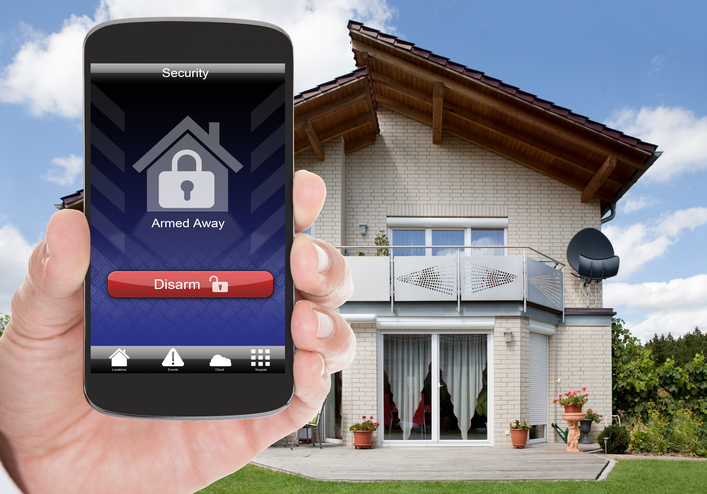
A home security system is a network of devices and technologies designed to protect your home and loved ones. These systems detect and deter intrusions, monitor activity, and provide peace of mind. Common components include door and window sensors, motion detectors, surveillance cameras, and control panels. Today’s home security systems also offer advanced features like smartphone connectivity, smart home integration, and environmental monitoring for smoke, carbon monoxide, and flooding.
Frequently Asked Questions
How Does a Home Security System Work?
Home security systems work by monitoring your home or using sensors to detect movement. Here’s a breakdown of the key components:
- Sensors: These include door and window sensors that detect unauthorized entry and motion detectors for monitoring movement in specific areas.
- Cameras: Surveillance cameras capture video footage, which can be monitored in real-time or recorded for later review. Some cameras also feature two-way communication.
- Alarms: Sirens and alerts activate when a breach is detected, deterring intruders and notifying homeowners or authorities.
- Monitoring Services: Many systems include 24/7 professional monitoring, ensuring emergency services are contacted immediately during an incident.
Frequently Asked Questions
What Are the Different Types of Home Security Systems?
There are several types of home security systems to suit different needs and preferences.
- Wired Systems: These systems are hardwired into your home and are highly reliable, making them ideal for long-term use.
- Wireless Systems: Wireless systems are easy to install and ideal for renters or those wanting a more flexible option.
- Monitored Systems: Include professional monitoring, where a team ensures emergency responses.
- Unmonitored Systems: Rely on alarms and notifications to alert the homeowner without professional intervention.
- Smart Systems: Integrate with smart home devices like lights and thermostats for added convenience and functionality.
Frequently Asked Questions
Choosing the Right Home Security System
When selecting a home security system, keep these factors in mind:
- Durability: Look for systems with high-quality materials and dependable components.
- Aesthetic Appeal: Choose discreet designs that blend seamlessly into your home’s decor.
- Functionality: Ensure the system covers all security needs, from monitoring entry points to integrating with smart devices.
- Budget: Compare upfront and ongoing costs, balancing quality and affordability.
Frequently Asked Questions
Common Components of a Home Security System
You can expect to find these components and features in a typical home security system:
- Control Panel: Manages the entire system and serves as the hub for communication.
- Sensors: Detect activity at entry points or specific zones in your home.
- Cameras: Provide video surveillance for both indoor and outdoor spaces.
- Alarms: Alert homeowners and neighbors when a security breach occurs.
- Mobile App: Allows remote monitoring and control of the system from your smartphone or tablet.
Frequently Asked Questions
How to Maintain Your Home Security System
Regular maintenance ensures your home security system remains effective. Follow these tips:
- Test the system monthly to confirm all components are functioning.
- Replace batteries in sensors and devices as needed.
- Clean cameras and sensors to prevent dust buildup from affecting performance.
- Update software to ensure compatibility with the latest technology.
- Schedule professional inspections annually for a thorough check.
Frequently Asked Questions
Home Security System Replacement and Installation Costs
Replacing or installing a home security system typically costs between $200 and $2,000, depending on the system’s size and complexity. Wireless DIY systems tend to be more affordable, while professionally installed wired systems cost more due to labor and materials.
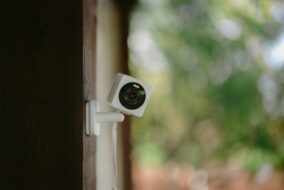
Additional features such as smart home integration, advanced cameras, and environmental sensors can increase overall costs. If you opt for professional monitoring, expect to pay $20 to $50 per month. Some security companies also offer financing options or rebates for eco-friendly components, like solar-powered cameras.
Frequently Asked Questions
Common Issues and Troubleshooting Tips for Home Security Systems
Here are some common issues homeowners encounter with their security systems and how to fix them:
- False alarms: Ensure sensors are correctly placed and regularly maintained to reduce false triggers.
- Connectivity problems: Restart the control panel and check your internet connection if devices lose connectivity.
- Low battery warnings: Replace batteries promptly to keep your system functional.
- Camera blind spots: Reposition cameras to eliminate blind spots and maximize coverage.
For persistent issues, consult a professional technician or contact customer support to ensure your system operates efficiently.
Frequently Asked Questions
Costs, Rebates, and Environmental Impact of Home Security Systems
Installing a home security system can cost $200 to $2,000, with labor and advanced features being the most significant cost factors. Smart features such as facial recognition, AI-powered monitoring, and voice control may also increase prices.
If you’re looking for eco-friendly options, consider solar-powered security cameras, motion-activated lighting, and energy-efficient alarm systems. Some systems qualify for rebates or tax credits, reducing the total cost.
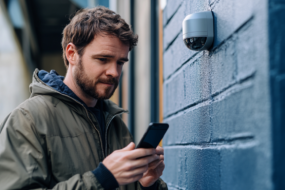
Choosing a system with sustainable technology not only improves energy efficiency but also reduces your home’s carbon footprint in the long run.
Frequently Asked Questions
What to Do After Installing a Home Security System
After installing a home security system, follow these steps to ensure it works effectively:
- Inspect all components to confirm proper installation.
- Test the system to ensure it operates smoothly.
- Familiarize yourself with the system’s functions and mobile app.
- Review warranties and set up a maintenance schedule.
- Keep installer or manufacturer contact information handy for future needs.
Scheduling a follow-up consultation with your installer can also help address any concerns or questions.
Ready to get your project started?
Let us find the best Home Security pros in your area, then easily request quotes, book a contractor, and get the job done. It’s that easy.

Homeowner Resources
Here are the top articles that homeowners found useful when planning their Home Security project and navigating the contractor hiring process.
Real Stories, Real Success
See how our solutions empower homeowner projects and experiences.