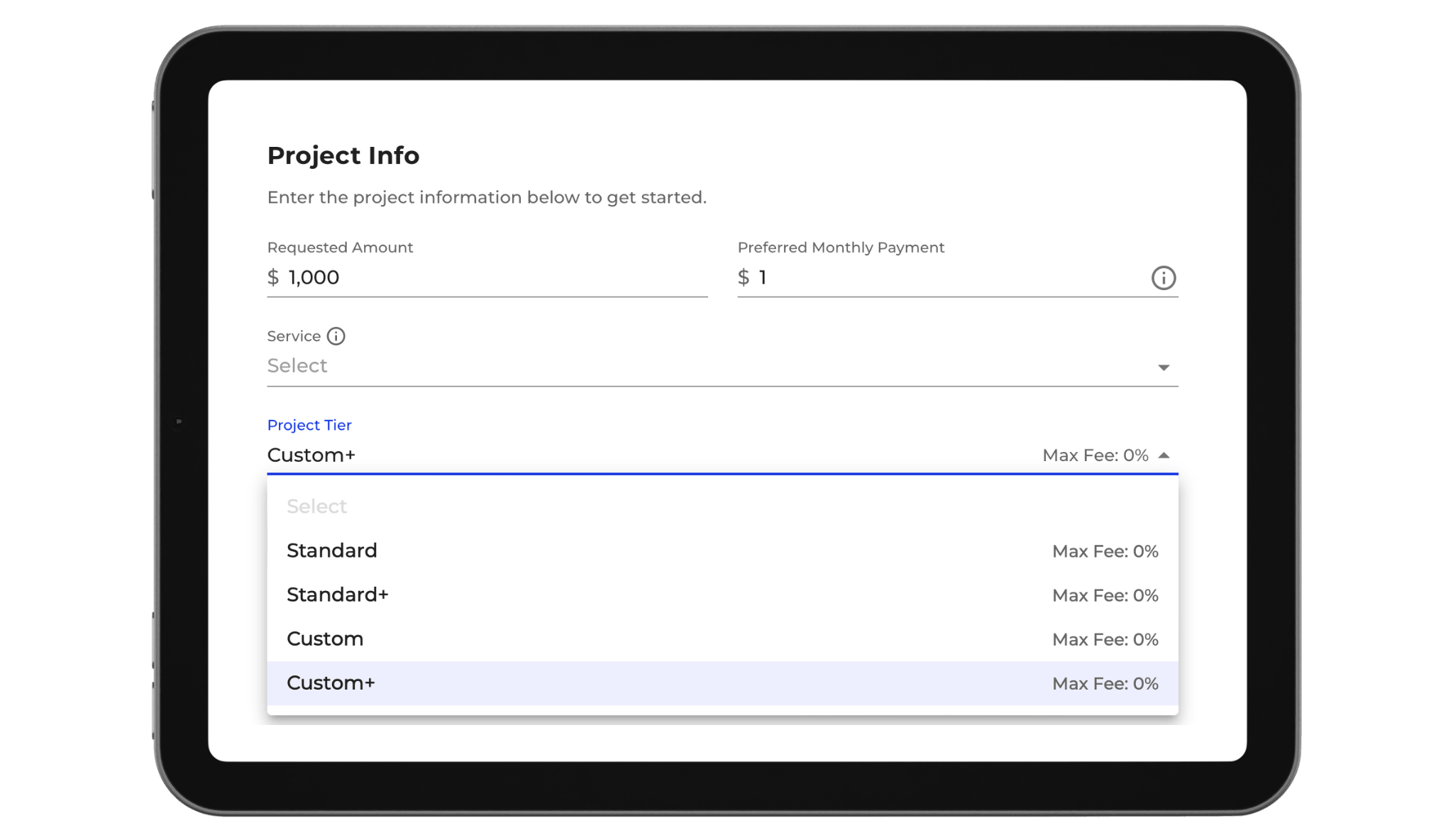
When you initiate a new project in 360 Finance, one of the first decisions you will make is selecting a Project Tier. This choice determines which tools and features are available to you throughout the application lifecycle. Yet many contractors treat this selection as a default action rather than recognizing it as a critical decision about which capabilities they need. 

Understanding what each tier unlocks allows you to select the right toolkit for how you work. 

Table of Contents

What Is a Project Tier? 

Your Project Tier determines your level of access within 360 Finance. It controls which form options you can use, which pricing strategies you can employ, and how much visibility and flexibility you have when structuring deals. 

Think of it as choosing between a standard toolbox and a comprehensive toolkit. Both get the job done, but the comprehensive toolkit gives you more options when you need them. 

Standard Plus: Essential Tools for Efficient Processing 

Best for: When you want streamlined workflows and preset configurations 

Standard Plus gives you access to the core 360 Finance functionality. You can create projects, input homeowner information, generate financing offers, and move deals through to closing. The form presents standard fields and follows a predetermined workflow path. 

This tier works well when you: 

  • Want fast, straightforward project setup 
  • Are comfortable with preset configurations 
  • Prefer a simplified form to reduce data entry errors 
  • Are sending invites for homeowners to pre-qualify independently 
  • Value speed and efficiency over customization options 

Standard Plus keeps your workflow lean. You are not managing extra variables or making complex decisions at each step. Projects move through the system quickly and consistently. 

However, you are limited in how much you can modify or customize the process. Your options are what the system provides in its standard configuration. 

Custom Plus: Full Toolkit with Advanced Options 

Best for: When you need maximum flexibility and control over deal structure 

Custom Plus unlocks the complete 360 Finance feature set. You have access to expanded form options, advanced pricing controls, custom configurations, and additional visibility into deal parameters. You can see more fields, make more adjustments, and tailor the application process to your specific needs. 

This tier is designed for contractors who want to: 

  • Customize deal structures beyond standard parameters 
  • Access margin control tools and pricing flexibility 
  • Modify form fields and workflows to match your process 
  • Have visibility into advanced options and configurations 
  • Manage complex or non-standard deal scenarios 
  • Adjust pricing strategies dynamically based on deal specifics 

Custom Plus gives you complete command over your toolkit. If you need to adjust something, the option is likely available. If you want to try a different approach, Custom Plus accommodates it. 

The trade-off is complexity. More options mean more decisions to make and more variables to manage. Your workflows take longer because you have more choices at each step. 

How to Choose: Matching Your Toolkit to Your Workflow 

Ask yourself these questions when selecting your tier: 

How much customization do I need? If you work with standardized processes and want consistency, Standard Plus is sufficient. If you frequently need to adjust parameters or try different approaches, Custom Plus is worth the additional complexity. 

Do I manage my own deal flow or delegate to team members? Standard Plus works well for delegating because the process is straightforward. Custom Plus is better if you personally manage each deal because you can leverage all available options. 

How much visibility do I want into the details? Standard Plus provides what you need to know. Custom Plus shows you everything, including options you may never use. 

What is my volume and deal complexity? High volume with straightforward deals favors Standard Plus. Lower volume with varied deal types favors Custom Plus. 

Key Differences at a Glance 

Feature  Standard Plus  Custom Plus 
Form complexity  Streamlined  Comprehensive 
Customization options  Limited  Extensive 
Pricing flexibility  Preset  Advanced 
Configuration access  Standard only  Full 
Setup time per deal  Fast  Moderate 
Decision points  Few  Many 
Learning curve  Low  Higher 

Making the Most of Your Tier 

Whichever tier you select, use it intentionally. 

If you choose Standard Plus, commit to the streamlined approach. Do not try to force customizations the tier does not support. Instead, embrace the efficiency and consistency it provides. Use the time you save to focus on sales and customer relationships. 

If you choose Custom Plus, invest in learning the full feature set. The value only comes if you actually use the advanced options. If you are not touching the custom fields and pricing controls, you may be paying for capabilities you do not need. 

Changing Your Tier 

Your tier selection is not permanent. As your business evolves, you can transition between tiers. However, switching mid-workflow can create complications, so plan tier changes between projects or at natural breakpoints in your calendar. 

If you are uncertain which tier is right for your current workflow, start with Standard Plus. You can always upgrade to Custom Plus later when you have identified specific needs the additional options would address. 

Questions about project tiers or which toolkit is right for your workflow? Reach out to your 360 Finance partner or account manager for guidance on optimizing your platform access.